产品形态
了解 AI 厂商提供的产品形态,往往是了解 AI 下游应用的有效手段。
Anthropic
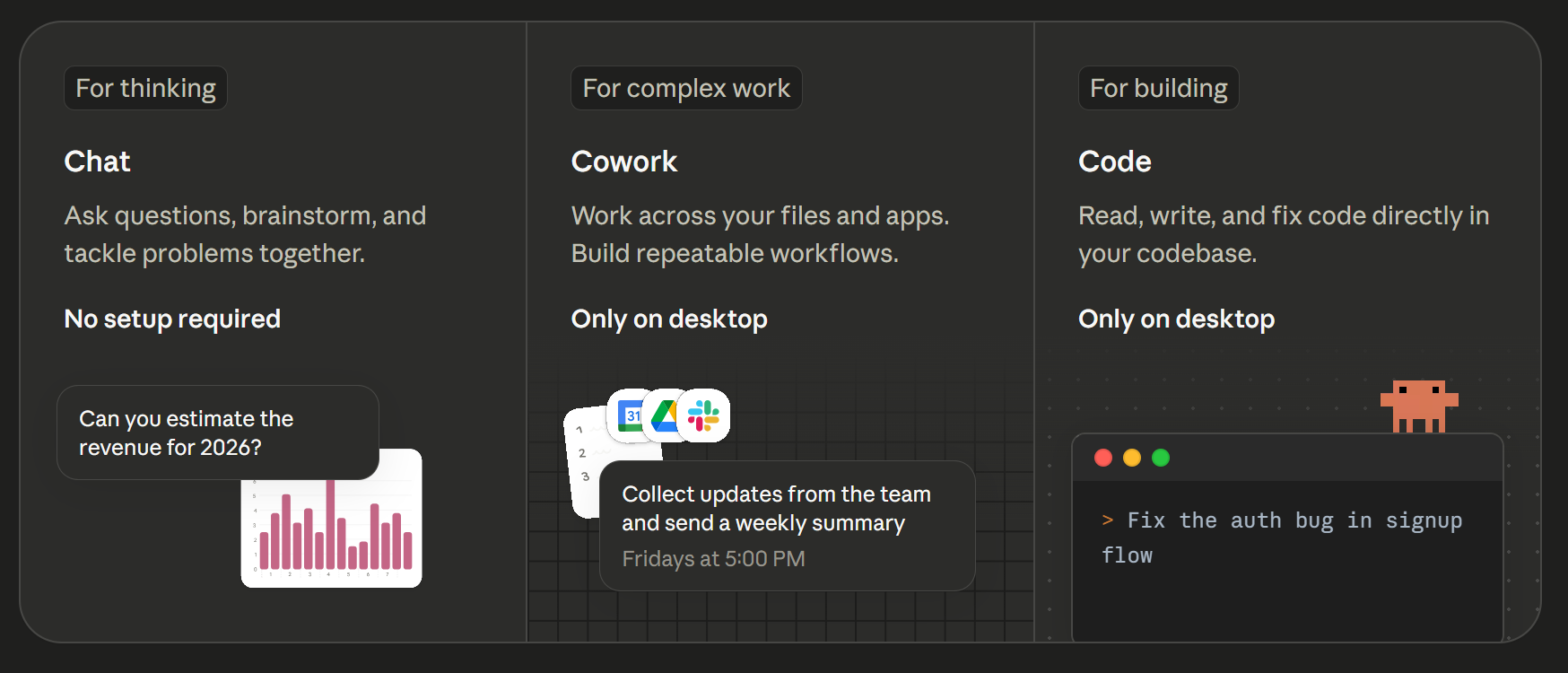
Anthropic 的产品 均被命名为 Claude。
Claude (Web)
网页应用,单纯的 Chat 功能。当然目前也逐渐更新出 Agent、多模态和文件读写等功能。
Claude (CLI)
Code Agent,即 Claude Code,目前位于 Code Agent 第一梯队。
Claude (App)
通用 Agent。
OpenAI
OpenAI 的产品非常丰富,在 Web、App、CLI 的基础之上,还有 LaTeX 科研平台 Prism、AI 浏览器 Atlas 等等,但是最近逐渐被 Claude 的编程能力抢了风头,所以又将资源集中到了 Coding 能力上。
ChatGPT (Web)
网页应用,单纯的 Chat 功能。
Codex (CLI)
Code Agent,即 Codex,同样位于 Code Agent 第一梯队。
Codex (App)
通用 Agent。
Google
自 Google I/O 2026 以后,Google 的 AI 产品均被命名为 Antigravity。
Antigravity (Web)
网页应用,单纯的 Chat 功能。目前了解到的有 Gemini Web、Google AI Studio。
Antigravity (CLI)
原本的 Gemini CLI,目前 Code Agent 能力相较于前两家略逊一筹,但是在我的印象里是早于前两者被研发出来的?
Antigravity (App)
通用 Agent。
Antigravity (IDE)
集成开发环境,fork 自 VSCode。
Google 账号 FAQ:登录 Antigravity 显示地区被禁用
如果使用 Google 账号登陆 Antigravity 时遇到了类似以下的禁用信息:
Your current account is not eligible for Antigravity, because it is not currently available in your location.
如果确认网络没有问题,那就是 Google 账号有问题。解决方案如下:
进入 Google 服务条款 页面查看当前 Google 账号的地区,如果不在可用地区里(例如中国),继续下面的操作。
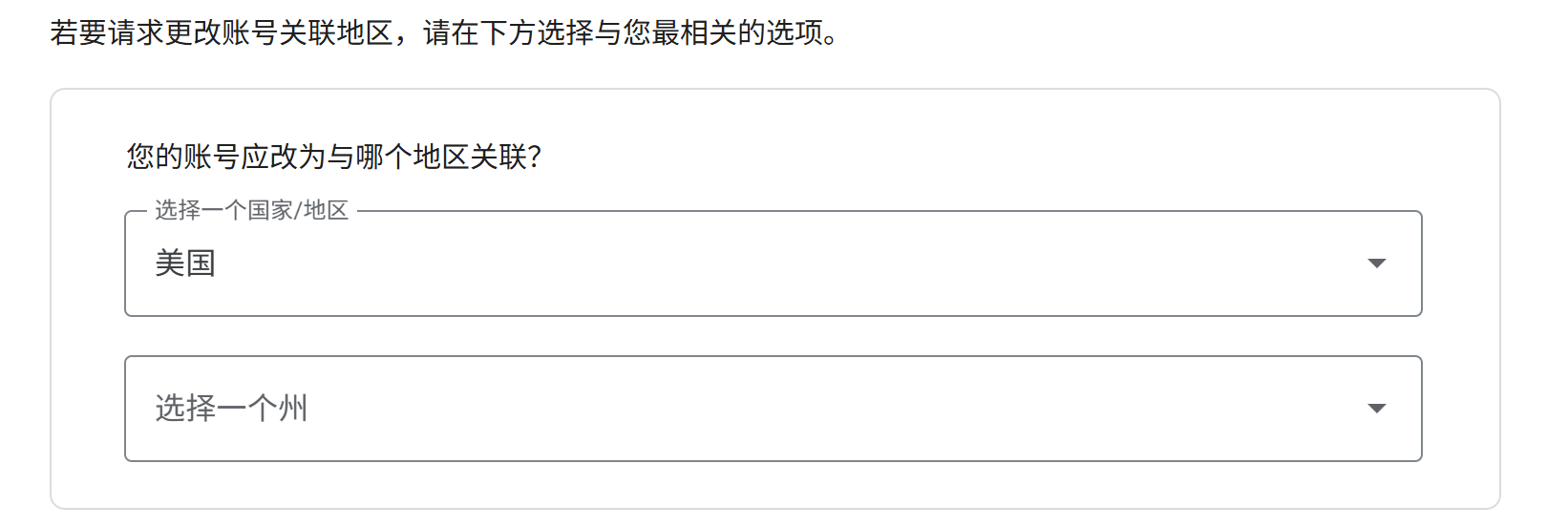
进入 账号关联地区更改请求 页面填写表单,请求更换当前 Google 账号的地区。
地区选择你节点的地址,可以使用 ping0.cc 查看你的节点地址。
原因选择「其他原因」:
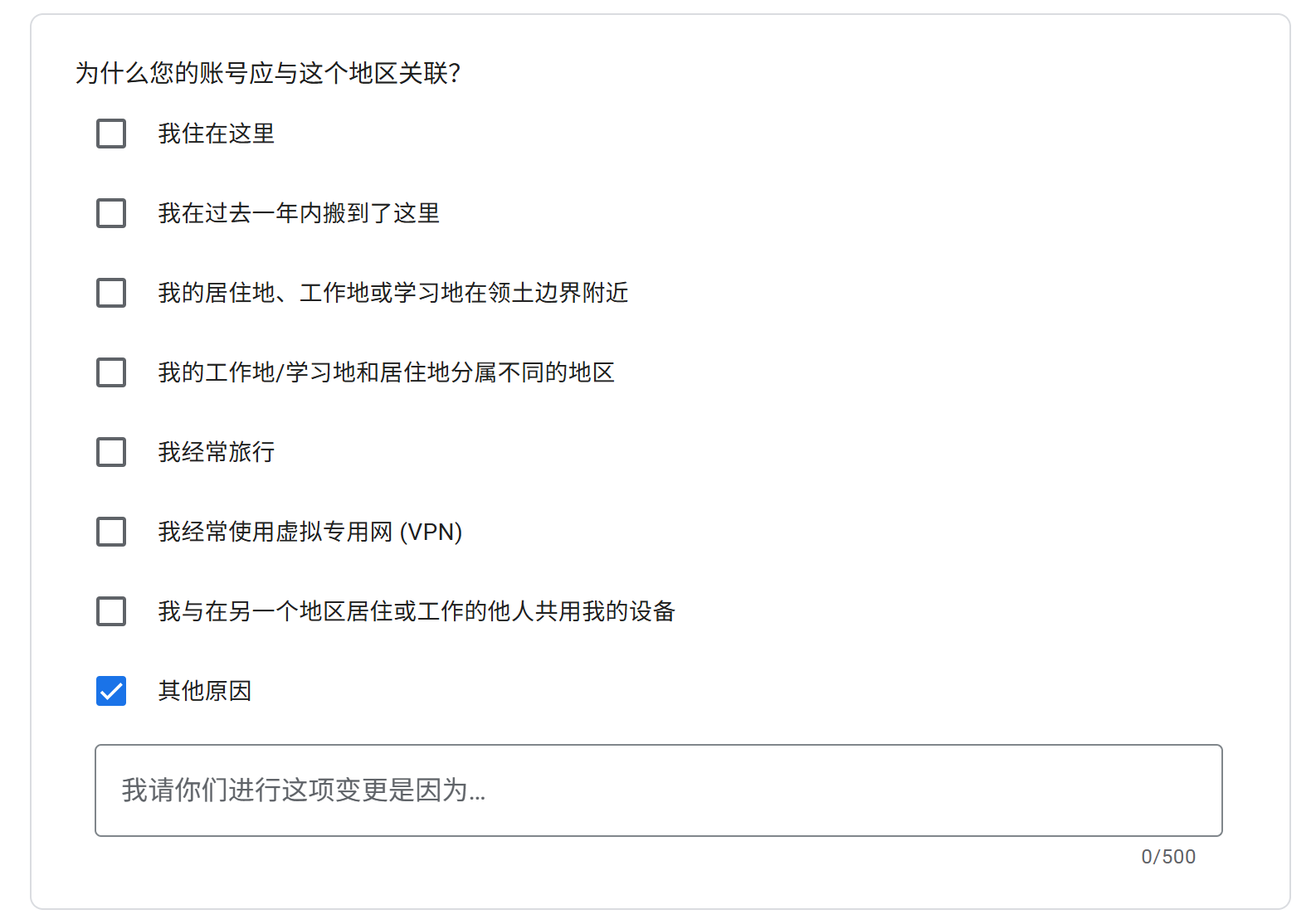
内容模板:
To access US-only developer tools and early access programs required for my current project, I need to update my account region. Please assist me in changing my location to <你的节点地址>.
例如我的节点是美国华盛顿,就填写为:
To access US-only developer tools and early access programs required for my current project, I need to update my account region. Please assist me in changing my location to Washington, USA.
其他新兴 Code Agent
除了 Anthropic、OpenAI、Google 三家主线厂商以外,还有一些垂直 Code Agent 产品,主要以 CLI、IDE、Cloud Sandbox 等形式存在。
OpenCode
开源 Code Agent,更适合希望自行控制模型、上下文、工具链、MCP 和权限边界的开发者。
- 优点:开放度高,可定制性强,适合作为可折腾、可二次开发的 Code Agent 基座。
- 缺点:产品化体验、稳定性和默认工作流通常不如闭源商业产品,对使用者的工程能力要求更高。
Cursor
AI IDE,核心是把代码生成、代码编辑、上下文理解和 Agent 能力集成到编辑器里。
- 优点:交互链路短、可视化强、编辑体验好,适合在真实项目中快速修改、重构和理解代码。
- 缺点:产品形态更重,很多能力依赖 IDE 内部的上下文管理和产品设计,不如 CLI Agent 灵活。
GitHub Copilot
最早以代码补全工具出圈,后来逐渐演化成 GitHub 生态里的 Coding Agent。
- 优点:和 GitHub、Pull Request、Code Review、Actions 等流程结合紧密,适合已经深度使用 GitHub 的团队。
- 缺点:更偏 GitHub 生态内的辅助开发体验,独立完成复杂工程任务的能力和可控性仍然需要结合具体场景评估。
Devin
云端 AI Software Engineer,更像一个可以在远程开发环境中独立接任务的工程师型 Agent。
- 优点:异步执行能力强,可以浏览网页、阅读文档、修改代码、运行测试并提交结果,适合多仓库、长任务和工程上下文复杂的场景。
- 缺点:产品定位更重,成本、可控性和交付质量都需要仔细评估,不能简单当成「一定靠谱的全自动程序员」。
Kiro
Agentic IDE,主打 Spec-driven Development,也就是先规格化需求,再进入设计、任务拆解、代码生成和测试。
- 优点:适合中大型功能开发,可以通过需求文档、设计文档和任务拆解约束 Agent,降低复杂任务跑偏的概率。
- 缺点:流程相对更重,不适合只想快速补全几行代码或做轻量修改的场景。
其他新兴通用 Agent
通用 Agent 和 Code Agent 的区别在于:Code Agent 主要围绕代码仓库、终端、测试、PR 工作流展开;通用 Agent 则面向更广泛的任务,例如调研、写作、做 PPT、生成网页、处理表格、自动浏览网页、整理资料等。
Manus
通用 Agent,定位是从「想法」走到「交付」,帮助用户在云端环境中完成调研、写作、网页、幻灯片等任务。
- 优点:产品心智清晰,能拆解任务、规划步骤、调用工具并交付结果。
- 缺点:任务越开放,结果越依赖 Agent 的规划能力、工具调用能力和中间过程可控性;重要任务仍然需要人工 Review。
Genspark
All-in-One AI Workspace,把聊天、搜索、文档、幻灯片、图片、视频、代码、设计等能力聚合到一个统一工作台里。
- 优点:能力覆盖面广,适合轻量生产内容、快速出稿、快速做 Demo、快速搭建资料型产物。
- 缺点:更偏综合型 AI 工作台,单个 Agent 的纵深能力和复杂任务执行能力未必比专门的 Code Agent 或通用 Agent 更强。