进程管理
查看进程 ps / top / htop / btop
搜索进程 lsof
可以使用 lsof 工具实现。
终止进程 kill
如果想要中断一个并行/并发任务,在终端输入 Ctrl+C 往往是无效的,因为 Ctrl+C 一次只能结束一个进程/线程。我们可以直接用 taskkill 或 pkill 终止对应程序的所有进程。
Bash
# 终止特定 PID 的进程
kill -9 <process_id>

# 终止所有 Python 进程
pkill -9 -f python

# 或者使用 killall
killall -9 python
练习:进程管理
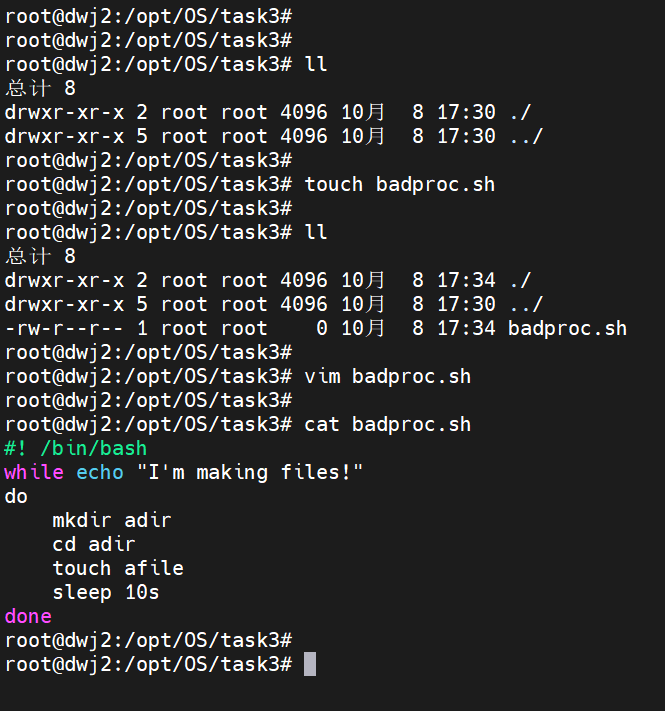
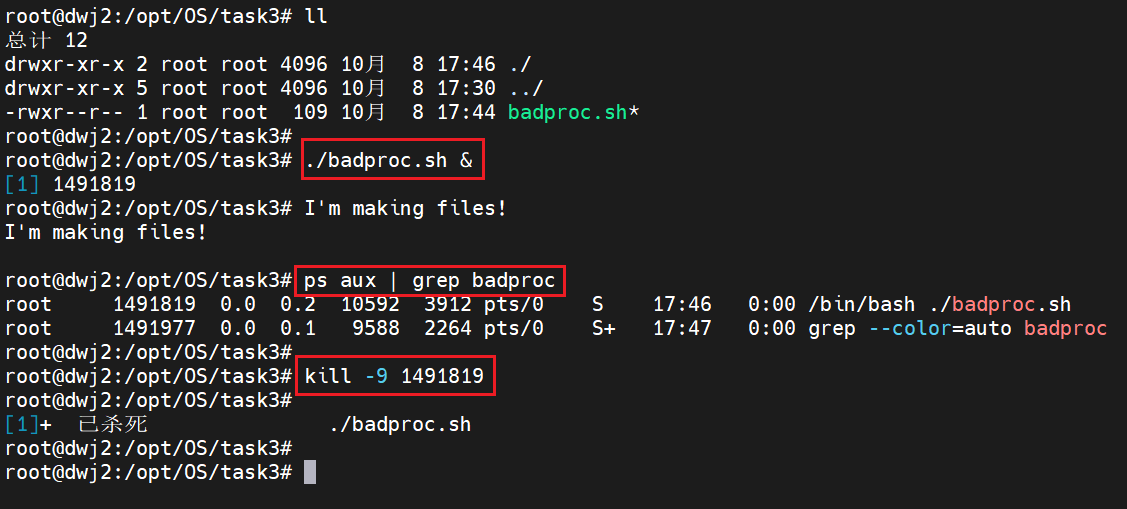
一、编写一个 shell 程序 badproc.sh 使其不断循环
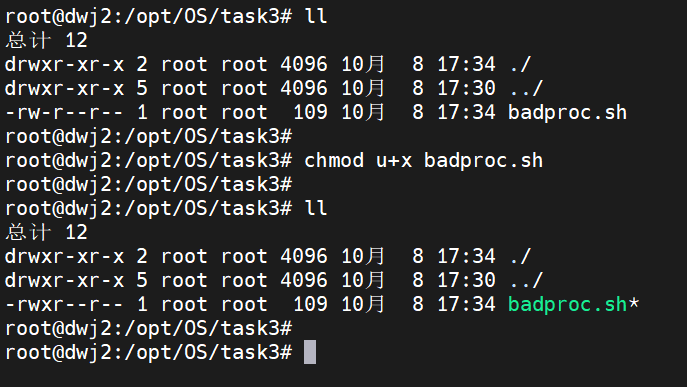
二、为 badproc.sh 增加可执行权限
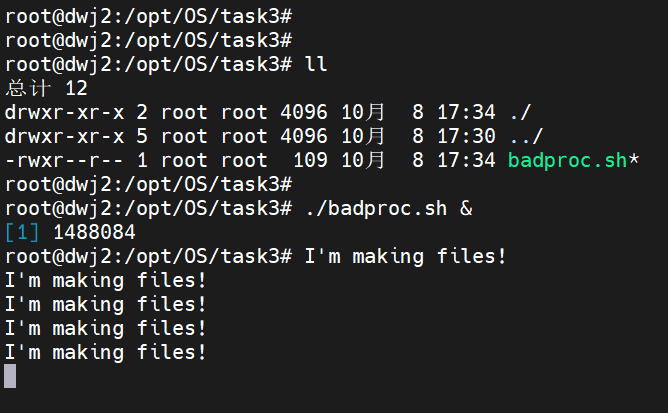
三、在后台执行 badproc.sh
&表示后台执行
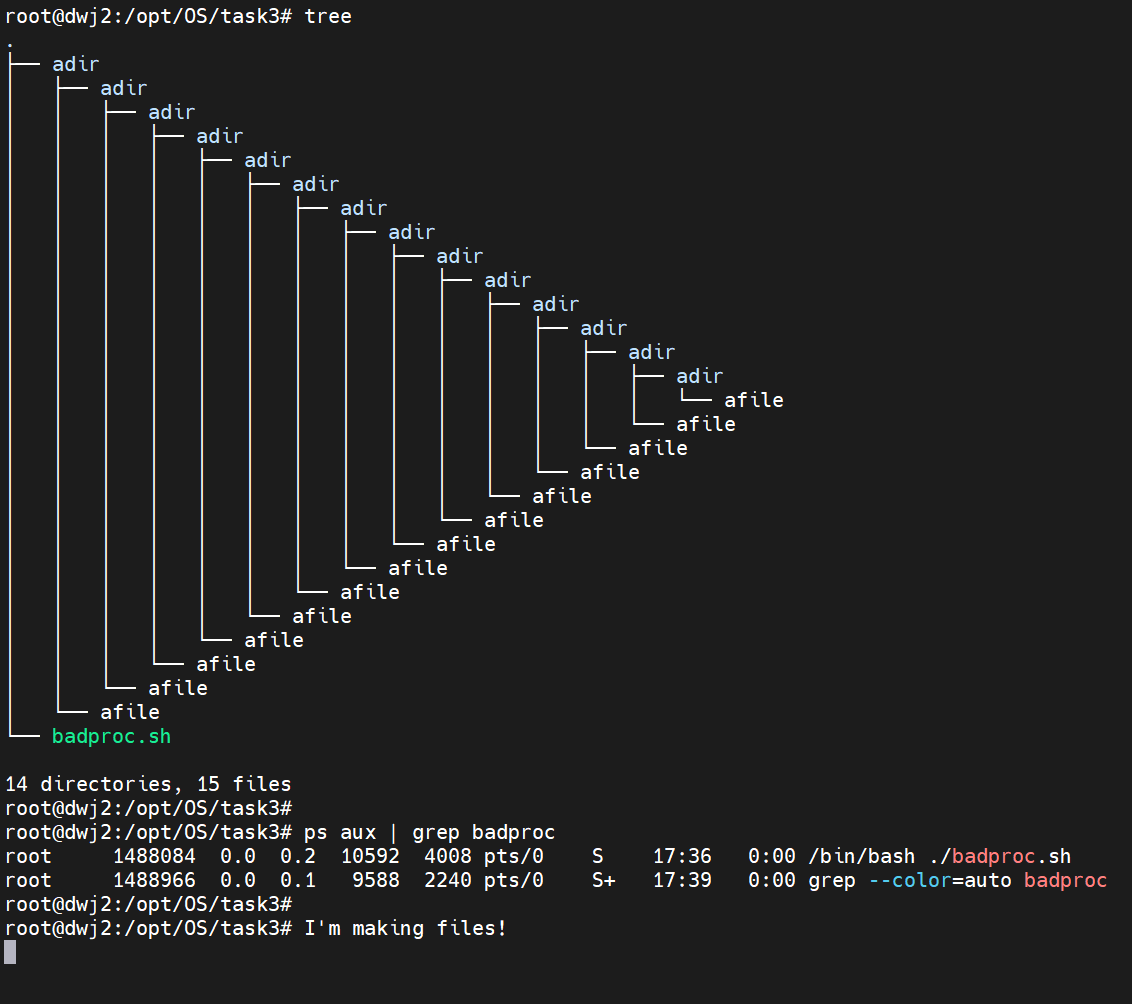
四、利用 ps 命令查看其进程号
五、利用 kill 命令杀死该进程
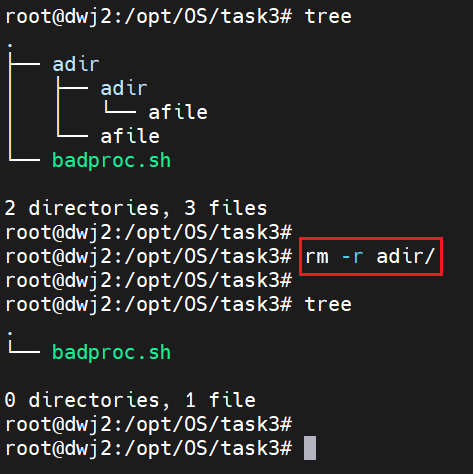
六、删除 badproc.sh 程序运行时创建的目录和文件
调试进程 gdb
参考 GDB 官网。常用的如下:
开始运行:
设置断点:
运行到下一个断点:
练习:gdb 实战
一、创建 fork.c 文件
C
#include <stdio.h>
#include <stdlib.h>
#include <unistd.h>
#include <sys/types.h>
#include <sys/wait.h>

int main() {
    /* fork another process */
    pid_t  pid;
    pid = fork();

    if (pid < 0) {
        /* error occurred */
        fprintf(stderr, "Fork Failed");
        exit(-1);
    } else if (pid == 0) {
        /* child process */
        printf("This is child process, pid=%d\n", getpid());
        execlp("/bin/ls", "ls", NULL);
        printf("Child process finished\n"); /*这句话不会被打印,除非execlp调用未成功*/
    } else {
        /* parent process */
        /* parent will wait for the child to complete */
        printf("This is parent process, pid=%d\n", getpid());
        wait (NULL);
        printf ("Child Complete\n");
        exit(0);
    }
}
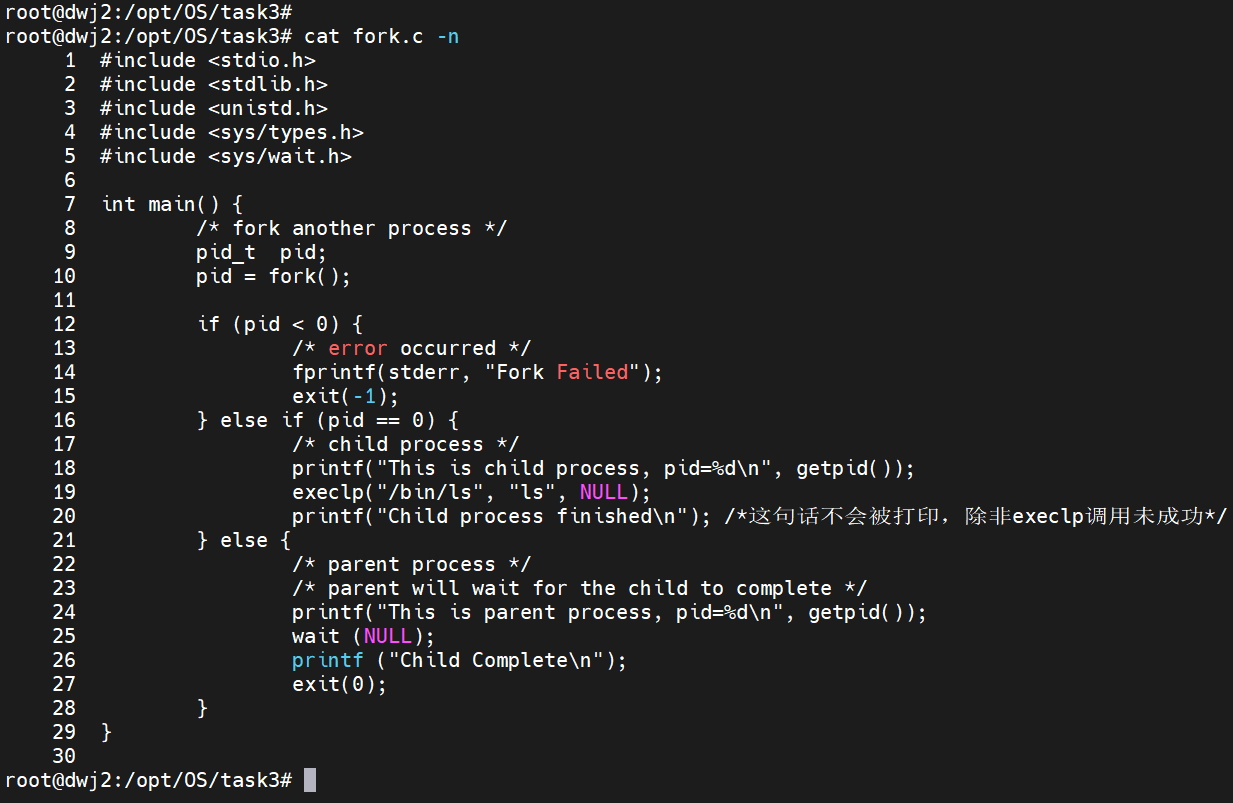
这段程序首先通过调用 fork() 函数创建一个子进程,并通过 pid 信息来判断当前进程是父进程还是子进程。在并发的逻辑下,执行哪一个进程的逻辑是未知的。
二、编译运行 fork.c 文件
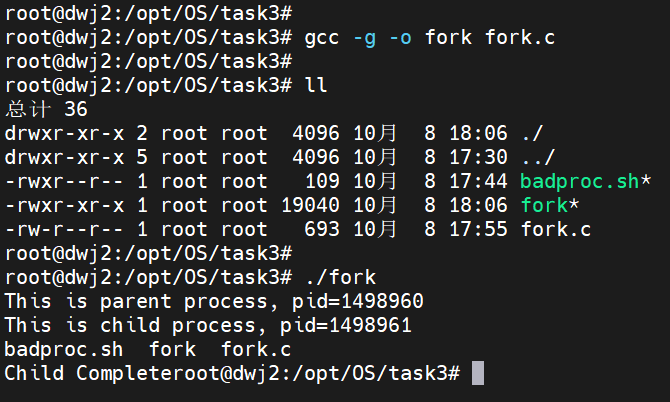
从上述运行结果可以看出:并发时,首先执行父进程的逻辑,然后才执行子进程的逻辑。
三、gdb 调试
在 fork 创建子进程后追踪子进程:
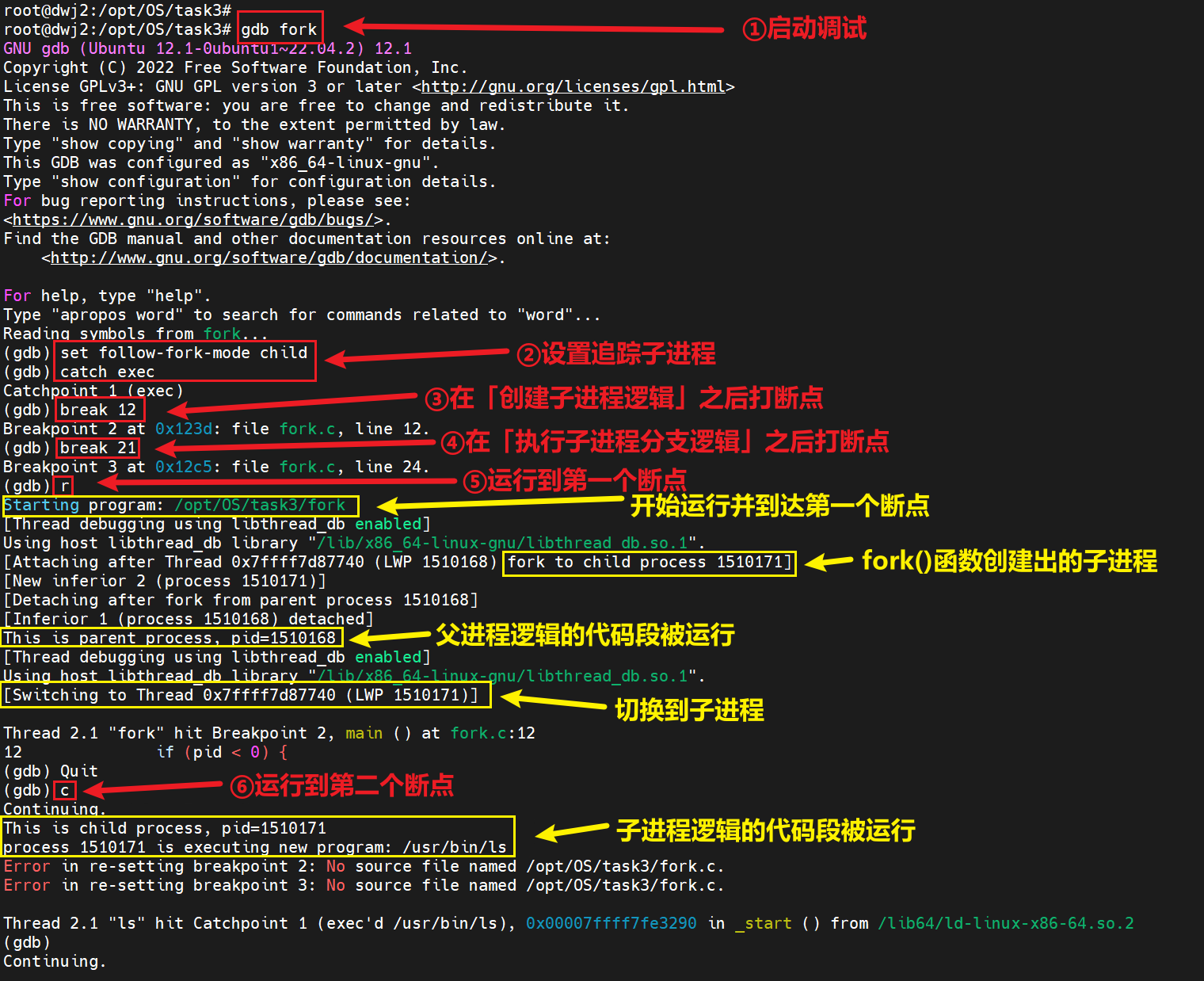
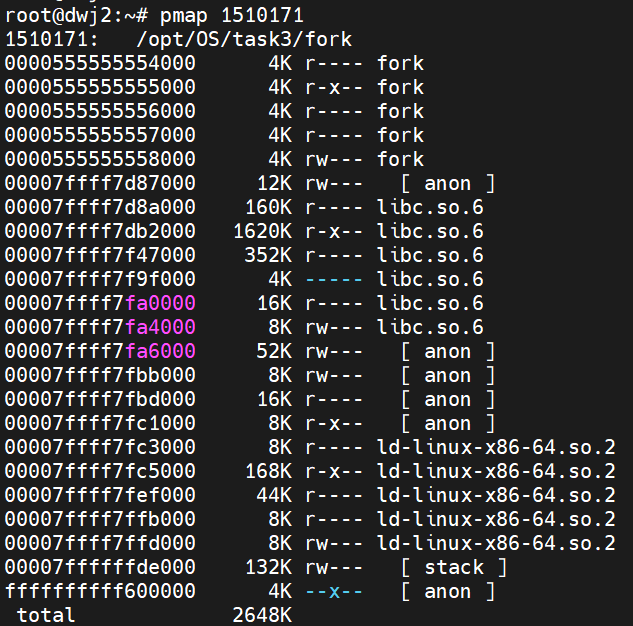
运行到第一个断点时分别观察父进程 1510168 和子进程 1510171:

运行到第二个断点时观察子进程 1510171:
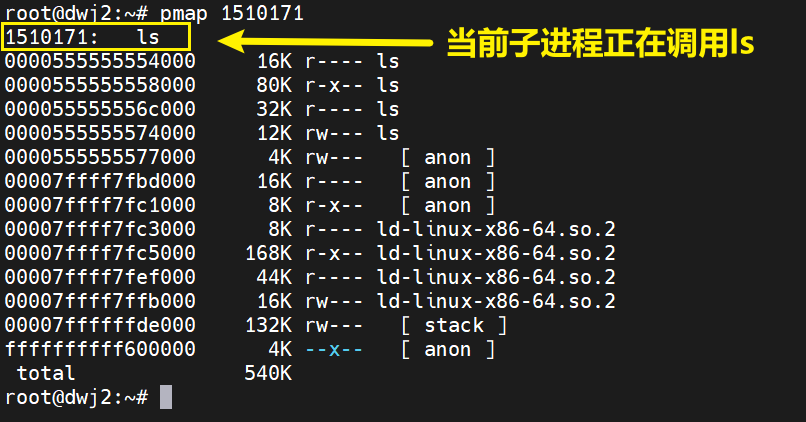
从上述子进程的追踪结果可以看出,在父进程结束之后,子进程成功执行了 pid == 0 的逻辑并开始调用 ls 工具。